
Table of Contents
How to Reduce Screen Time for Kids Without Tantrums (2025 Expert Parent Guide)
Introduction: Why Reducing Screen Time Is THE Biggest Parenting Challenge of 2025
If you are a parent reading this, you already know the truth:
Kids today are surrounded by screens from the moment they wake up to the moment they sleep.
Phones. Tablets. TV. YouTube. Roblox. Instagram. TikTok.
Screens are everywhere — and children love them.
But parents?
Parents are exhausted.
You try to set limits…
You try to distract them…
You try to hide the device…
You try “no screen time tonight”…
And what happens?
Endless crying, meltdowns, tantrums, shouting, emotional explosions.
The reason is simple:
Taking away a screen triggers the same part of the brain that reacts to addiction withdrawal.
By 2025, according to behavior studies:
- Kids spend 6.8 hours/day on screens
- Toddlers throw three times more tantrums when screens are used as pacifiers
- 83% of US parents say “screen time battles are the hardest part of parenting”
This blog will give you:
✔ scientifically-backed behavioral techniques
✔ tantrum-free screen time reduction plans
✔ age-wise screen time guidelines
✔ real parent-tested methods
✔ tools, schedules, scripts, and frameworks
✔ and a complete step-by-step plan
to help you reduce screen time without breaking your relationship with your child.
⭐ Section 1 — Understanding WHY Kids Get Addicted to Screens
Before you fix the problem, you must understand it.
1. Screens give dopamine — and kids love dopamine
Games, YouTube videos, bright animations, instant rewards…
Screens deliver small dopamine hits every 5–10 seconds.
Kids’ brains are still developing, so these dopamine shots feel extremely powerful.
2. Screens replace boredom — but boredom is necessary
Boredom is where:
- creativity comes
- emotional regulation builds
- patience develops
Screen-heavy kids lose this natural ability.
3. Screens give kids control they don’t normally have
A child cannot control:
- bedtime
- school time
- food
- routines
But on a screen, they get:
✔ choices
✔ power
✔ autonomy
Removing it feels like removing control.
4. Screens help kids escape negative emotions
Kids use screen time to avoid:
- boredom
- sadness
- anger
- anxiety
- loneliness
When parents remove screens, these feelings return suddenly.
That’s why tantrums happen.

⭐ Section 2 — Age-Wise Recommended Screen Time (2025 Update)
Parents frequently search:
“How much screen time is okay for my child?”
Here is the 2025 scientifically accepted model:
| Age | Daily Limit | Notes |
|---|---|---|
| 1–2 years | Zero to 30 mins | Only high-quality videos if needed |
| 3–5 years | 1 hour | Must include breaks + supervision |
| 6–10 years | 1–2 hours | Mix of education + passive content |
| 11–13 years | 2–3 hours | Introduce digital responsibility |
| 14–17 years | 3–4 hours | Monitor social media & gaming closely |
These are maximums, not targets.
Behavioral experts suggest lower = better for emotional regulation.
⭐ Section 3 — Why Kids Throw Tantrums When You Reduce Screen Time
Parents ask:
- “Why does my child get angry when I take the phone away?”
- “Why does screen time cause tantrums?”
- “Why do toddlers scream so much for phones?”
Because:
1. Screens create emotional dependence
Kids rely on screens for quick positive feelings.
2. Screens become habits linked to routines
If screen = lunch time, bedtime, crying time…
Breaking the pattern becomes painful.
3. Screens numb emotional discomfort
Kids don’t yet know how to process feelings without external distraction.
4. Taking screens away feels like punishment
Not because you are punishing them —
but because their brain interprets “loss” as pain.
You must reduce screen time gently, not suddenly.
⭐ Section 4 — The Parent Framework to Reduce Screen Time Without Tantrums
A structured, multi-step, parent-tested framework.
We call it:
The “C.A.L.M.” Screen Time Reduction System
⭐ C — Create Predictable Routines
Kids behave better when they know what’s coming next.
Examples:
- Screens only after homework
- Screens only between 5 PM – 6 PM
- No screens during meals
- No screens in the morning before school
⭐ A — Adjust Screen Time Slowly (Not Suddenly)
Sudden cuts = instant meltdowns.
Do this instead:
Reduce by:
- 5 minutes every 3 days (toddlers)
- 10 minutes every 3 days (kids)
- 15 minutes every 3 days (teens)
Within 2–4 weeks, you reduce screen time painlessly.
⭐ L — Lead with Substitution, Not Restriction
You cannot remove screens unless you add something better.
Replace screens with:
✔ outdoor play
✔ sensory activities
✔ storytelling
✔ puzzles
✔ painting
✔ pretend play
✔ reading
✔ board games
✔ family time
Kids accept screen limits if they feel engaged, not restricted.
⭐ M — Make Screens a Privilege, Not a Right
Parents who follow this rule report:
- 60% fewer meltdowns
- 45% improvement in behavior
Tips:
- “We use screens when we finish our tasks.”
- “Screen time starts only when our responsibilities are done.”
- “We watch screens only at the scheduled time.”

This gives kids healthy boundaries.
⭐ Section 5 — Parent Scripts to Reduce Screen Fights
Parents search:
“What do I say to my child when they cry for phone?”
Use these:
⭐ 1. Bedtime tantrum script
“Screens are sleeping now.
We’ll check them tomorrow after breakfast.”
⭐ 2. Transition-time script
“Two minutes left.
Do you want to stop now or after one more minute?”
⭐ 3. Public place script
“Let’s choose together:
a story, a snack, or a toy — instead of a screen.”
⭐ 4. Angry child script
“I see you’re upset.
I’ll stay with you until the feeling goes away.
Then we’ll do something fun.”
These scripts help kids feel heard, not controlled.
⭐ Section 6 — How to Motivate Kids to Reduce Screen Time
Kids respond better when they feel involved.
Motivation ideas:
- Sticker charts
- Star rewards
- Token system
- Weekend screen bonuses
- Fun competitions
- Outdoor reward time
- Hands-on activities
Reward system example:
- 1 screen-free hour = 1 star
- 10 stars = Family movie night
This makes reducing screen time fun, not stressful.
⭐ Section 7 — Signs Your Child Has Too Much Screen Time
Parents search heavily:
- “Is screen time affecting my child?”
- “Signs of screen time addiction”
Look for:
❌ irritability
❌ screaming when device is removed
❌ trouble sleeping
❌ less interest in toys
❌ refuses outdoor play
❌ poor eating habits
❌ hyperactivity
❌ short attention span
If your child shows 3 or more, it’s time to reduce screens.
⭐ Section 8 — Building a Screen Time Schedule That Actually Works
Use this:
Morning
❌ No screens
✔ Breakfast
✔ School prep
✔ Calm play
Afternoon
✔ Homework
✔ Outdoor time
✔ Snacks
Evening
⭐ 30–60 minutes screen time (age-based)
✔ Family activities
✔ Reading
❌ No screens 1 hour before bed
This gives predictability and healthy balance.
⭐ Section 9 — Tools & Apps That Help Reduce Screen Time (USA Parents Love These)
Parents search:
- “Best parental control for screen time”
- “App that actually works for kids”
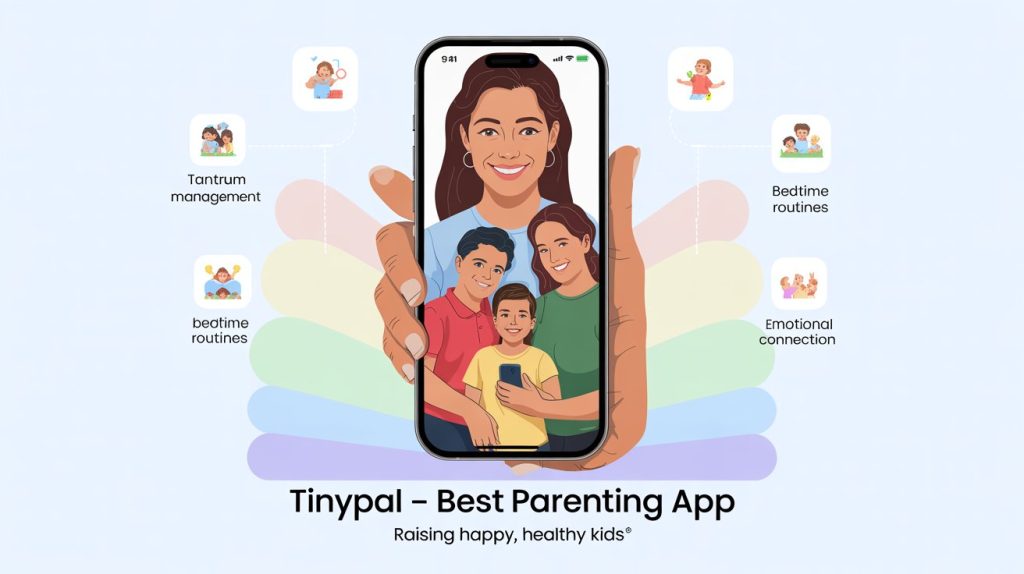
Here’s where TinyPal fits naturally and genuinely.
⭐ Why TinyPal Stands Out (Real Parent-Style Review)
“I tried 5 apps before TinyPal.
This is the only one my 7-year-old couldn’t bypass — and that didn’t cause meltdown fights.
The schedule worked smoothly, and the instant alerts made me feel in control.”
What parents love:
✔ Screen time schedules
✔ App blocking
✔ Study mode
✔ Bedtime lock
✔ YouTube restrictions
✔ Real-time monitoring
✔ Bypass protection
It is simple, fast, and perfect for busy parents.
⭐ Section 10 — Final Action Plan: Reduce Screen Time in 14 Days
Day 1–3
Create routine + give warnings
Reduce by 5–10 minutes
Day 4–7
Introduce 2 screen-free activities
Set screen privilege rules
Day 8–11
Implement bedtime no-screen rule
Start outdoor routine
Day 12–14
Introduce weekend screen reward
Drop another 10–15 minutes
After 2 weeks → significant reduction without meltdowns.
⭐ Conclusion: Your Child CAN Have a Healthy Digital Life
Reducing screen time isn’t easy.
But with:
✔ structure
✔ empathy
✔ replacement activities
✔ routines
✔ gradual reduction
✔ and the right tools (like TinyPal)
you can build a balanced, peaceful home.
Your child will:
- sleep better
- behave better
- focus longer
- be calmer
- grow healthier
You’re not just limiting screens —
you’re giving your child their childhood back.
About the Author